
As a Fundraising Hero, you can raise funds for a campaign by creating your own personal Peer-to-Peer fundraising page. This guide walks you through the full process from invitation to publishing your page.
Before You Start
To create a P2P campaign:
-
You must be invited by the fundraiser via email.
-
The parent campaign must be published before you can publish your own page.
-
Each hero creates their own individual fundraising page linked to the parent campaign.
Step 1: Accept Your Invitation
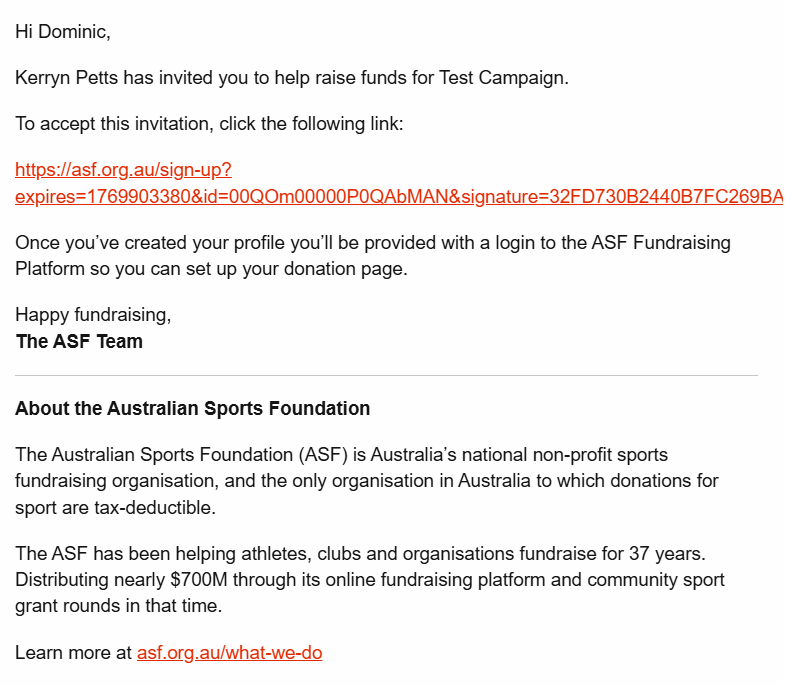
-
Open the email from ASF.
-
Click the link to Accept the invitation.
-
You will be taken to the ASF sign-up page.
Step 2: Create Your ASF Profile
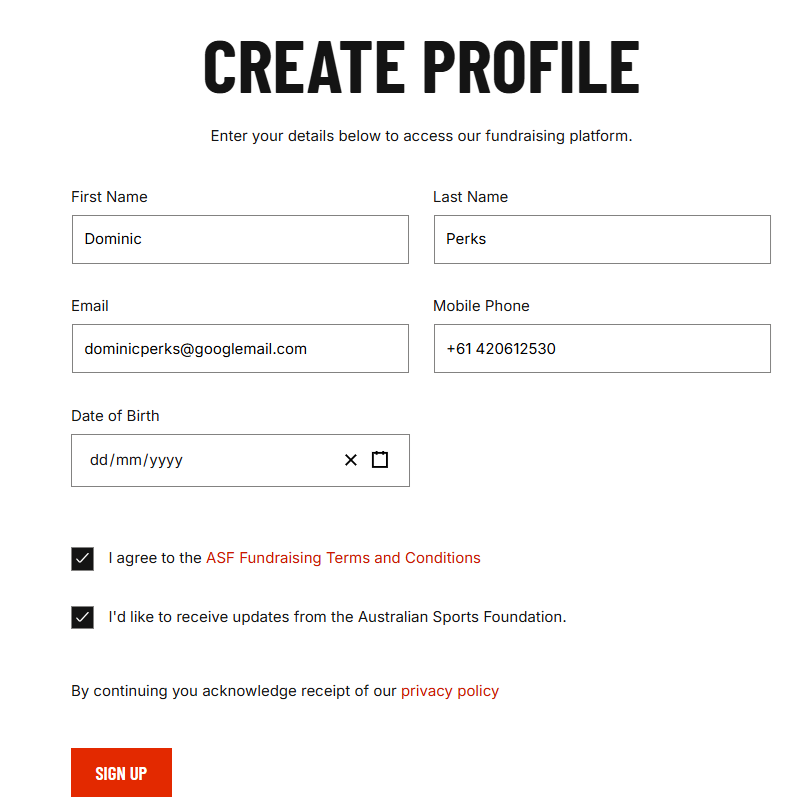
Complete the profile form with:
-
First name
-
Last name
-
Email address
-
Mobile number
-
Date of birth
-
Accept the Terms & Conditions
-
Receive updates from the Australian Sports Foundation (optional)
Click Sign Up.
If you see: “Failed to create new account”
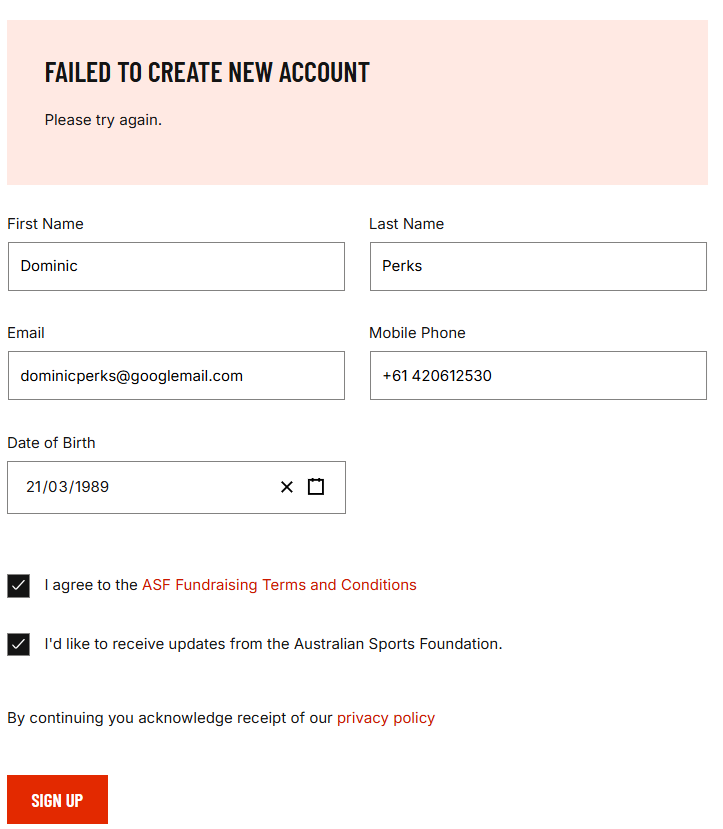
This happens if:
-
You already have an ASF account using this email, or
-
The invitation link has expired.
What to do:
-
Try logging in instead, or
-
Ask the fundraiser to resend your invitation.
-
If you’re still having trouble please contact ASF
Step 3: Profile Created Successfully
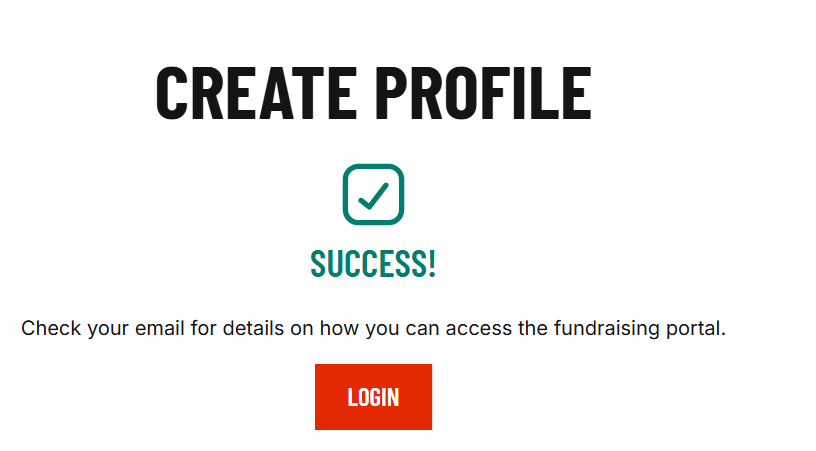
Once successful, check your email for login instructions and click Login.
Step 4: Access Your Campaign Dashboard
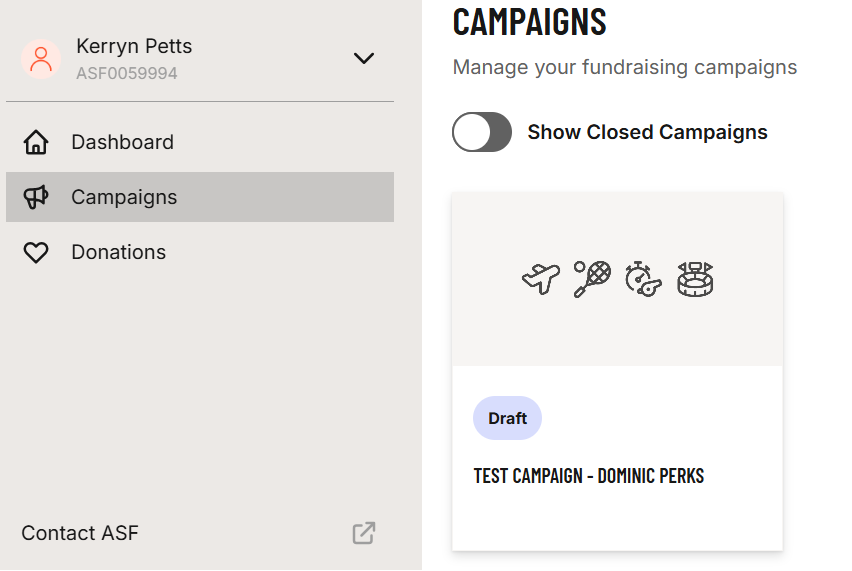
Navigate to Campaigns to see your draft P2P campaign.
Step 5: Enter Campaign Details
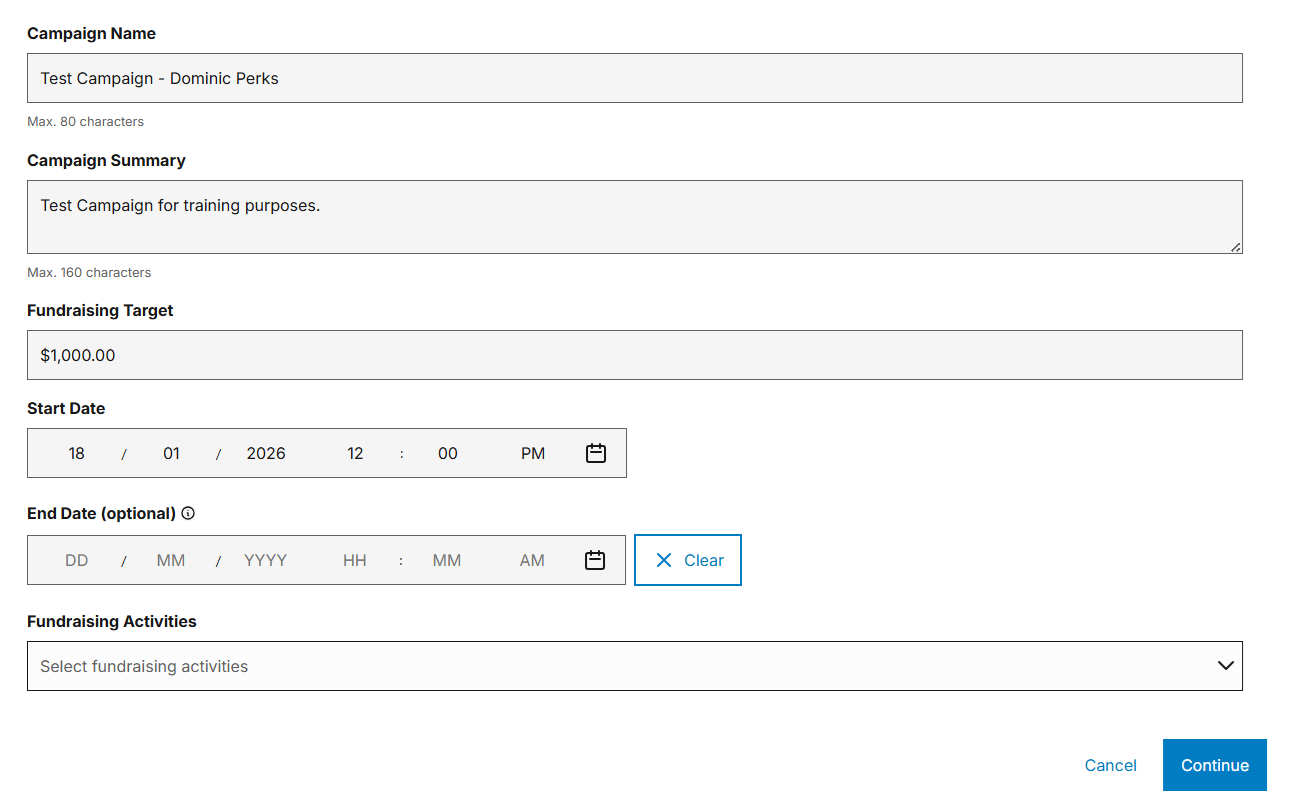
Enter:
-
Campaign name
-
Campaign summary
-
Fundraising target
-
Start date
-
Optional end date
-
Fundraising activities
Click Continue.
Step 6: Select Eligibility Details
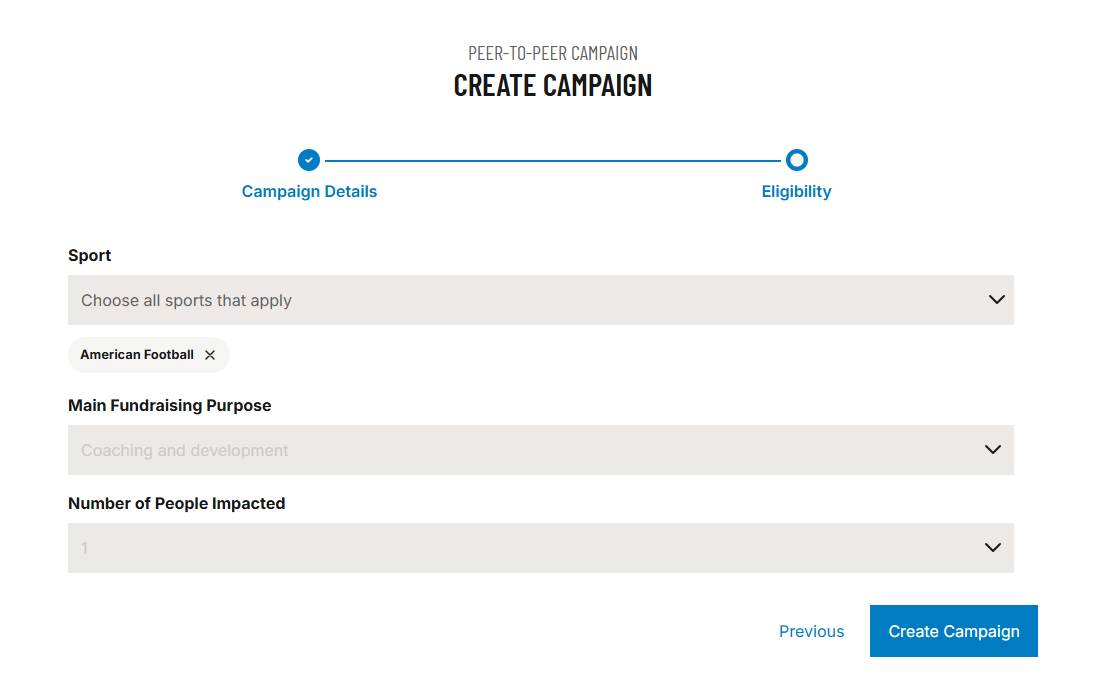
Select:
-
Sport
-
Main fundraising purpose
-
Number of people impacted
Click Create Campaign.
Step 7: Customise Your Donation Page
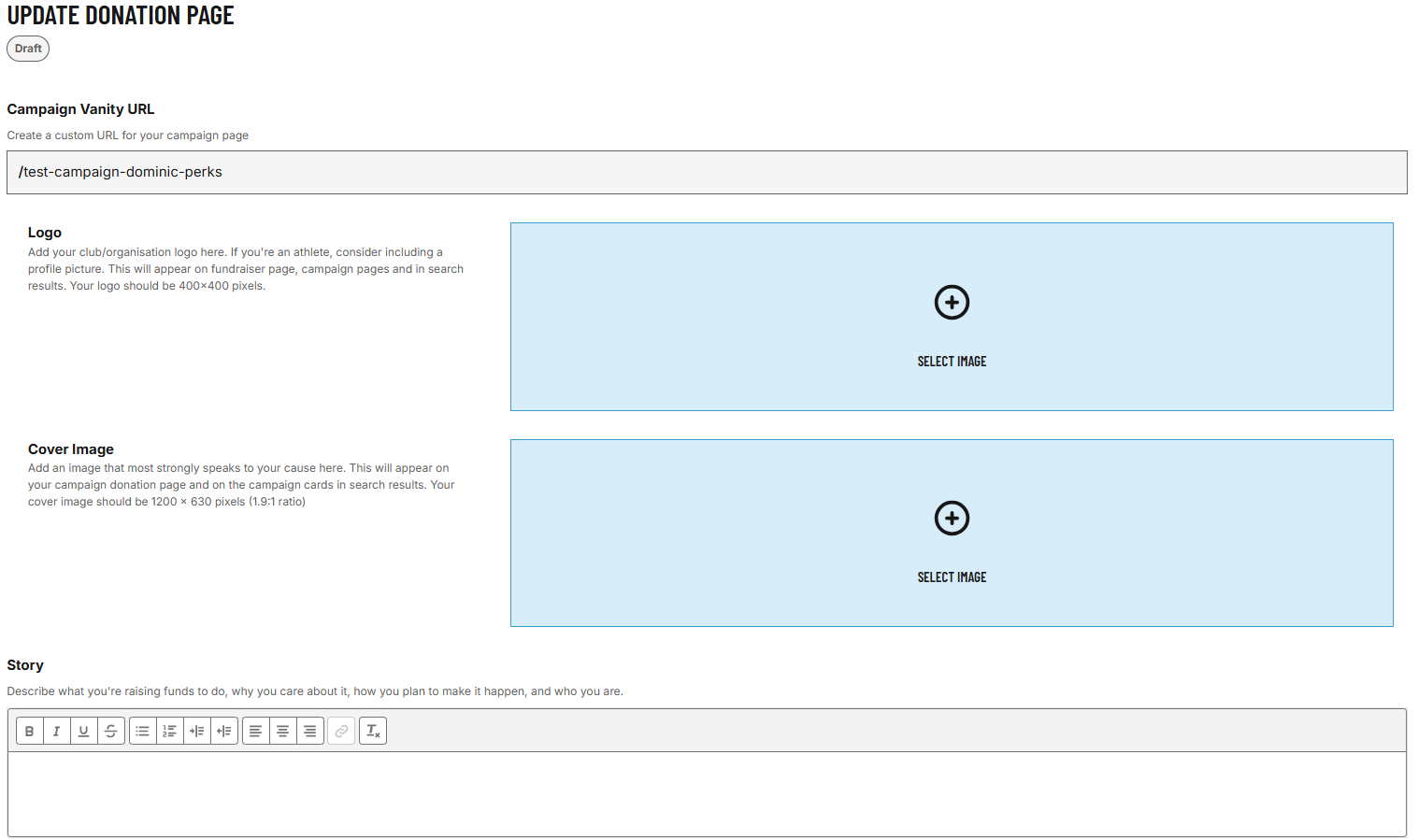
Here you can:
-
Upload a logo
-
Upload a cover image
-
Add your campaign story
Media Enhancements
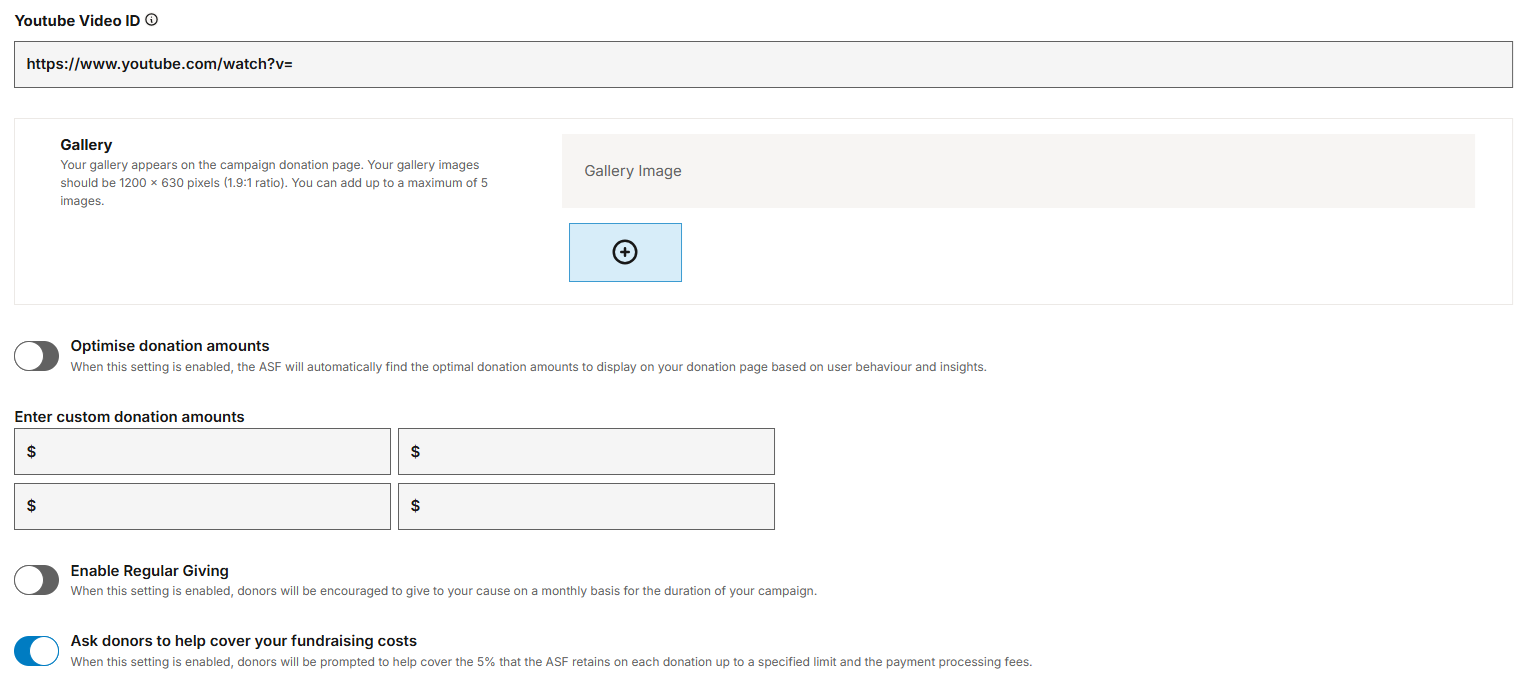
You may also:
-
Add gallery images (up to 5)
-
Embed a YouTube video
Donation Settings
You can:
-
Enter custom donation amounts
-
Enable regular giving
-
Ask donors to help cover costs
Step 8: Review Campaign Overview
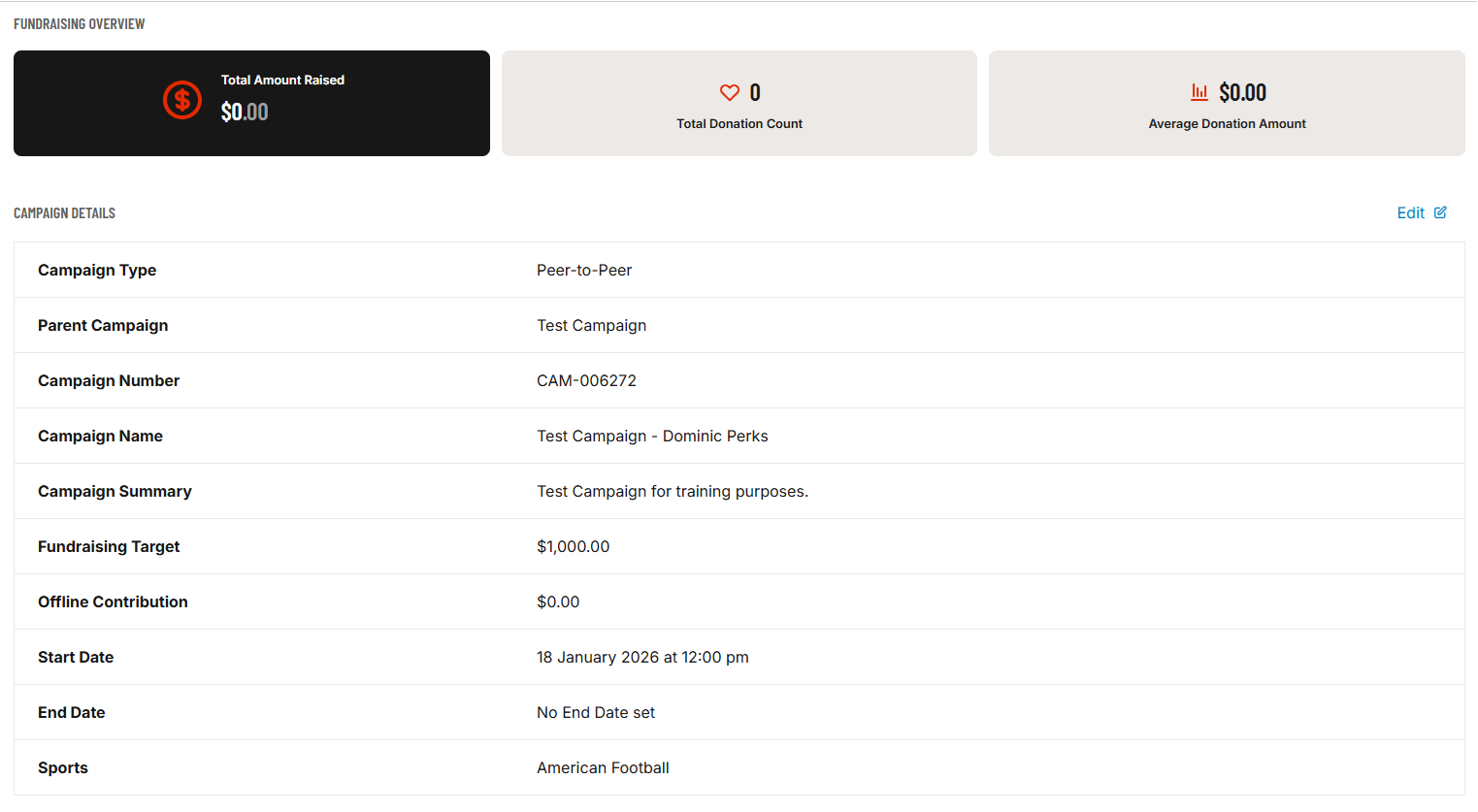
Your dashboard shows:
-
Total raised
-
Donation count
-
Average donation
-
Campaign details
Step 9: Publishing Your Campaign

If you see this message, the parent campaign is still in draft. Ask the fundraiser to publish it first.
Step 10: Share Your Campaign
📸 Insert Screenshot:
Campaign Vanity URL section
Once published, copy your campaign link and share it with supporters.
Common Issues
Issue | What it means | What to do |
|---|---|---|
Failed to create new account | Account exists or link expired | Log in or request new invite |
Cannot publish | Parent campaign not published | Ask fundraiser to publish |
Campaign shows Draft | Not yet published | Publish when parent is live |
Invite missing | Spam or expired | Ask fundraiser to resend |
Need Help?
Use Contact ASF from your dashboard to get support.
📸 Insert Screenshot:
Contact ASF link in sidebar
Final Tip for Heroes
Your campaign is connected to a larger fundraising effort — every donation you raise directly supports the parent campaign’s success.